Search Knowledge Base
You have the option of having your service provider support you with REDDCRYPT.
Important: The service provider must be a REDDCRYPT partner. If he is not yet a REDDCRYPT partner, please contact him about this possibility. Alternatively, we will of course be happy to recommend a REDDCRYPT partner(contact).
Select service provider
If you would like to select a service provider, you will find this option at
Settings -> My organization -> My service provider
Please enter at least three characters in the search field. You will then be offered a selection of suitable partners.

Once you have selected your partner, a new window will open with authorizations that you can assign to your service provider.
Assigning authorizations
You can use the authorizations to decide which settings your service provider can make for you.
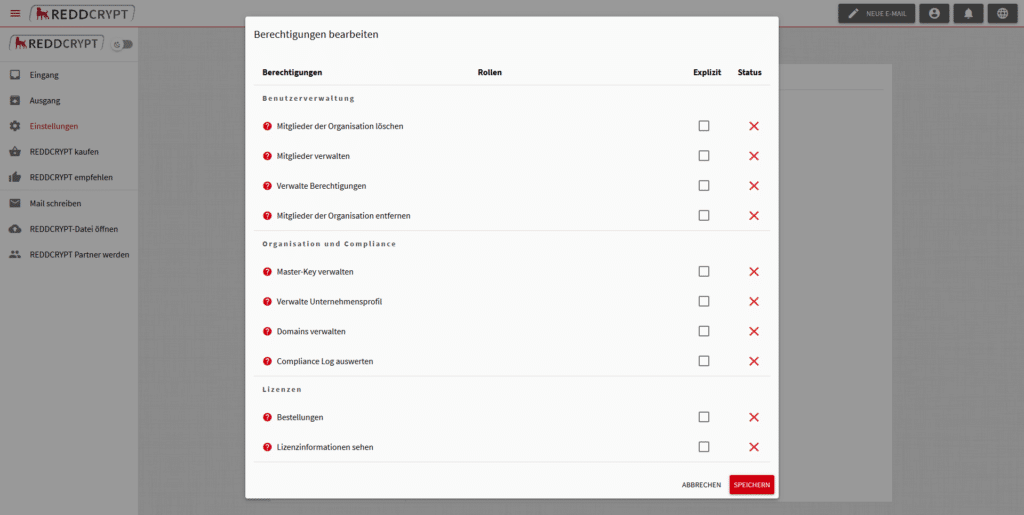
User administration
- Manage members: Can view member list and invite new members
- Remove members: Can remove members from the organization
- Delete members: Can delete the REDDCRYPT account of members
- Manage authorizations: Can change the authorizations of members
Organization and compliance
- Manage master key: Can create a master key, use it to decrypt emails and accept/reject user password resets
- Manage company profile: Can create, change and delete a company profile
- Manage domains: Can manage the organization’s trusted domains
- Evaluate compliance log: Can view all entries in the compliance log
Licenses
- Orders: Can process payment information and initiate orders
- View license information: Can view the organization’s license information (type, number, expiration date)
Actions” button
Once you have selected a partner, you will then find the “Actions” button.
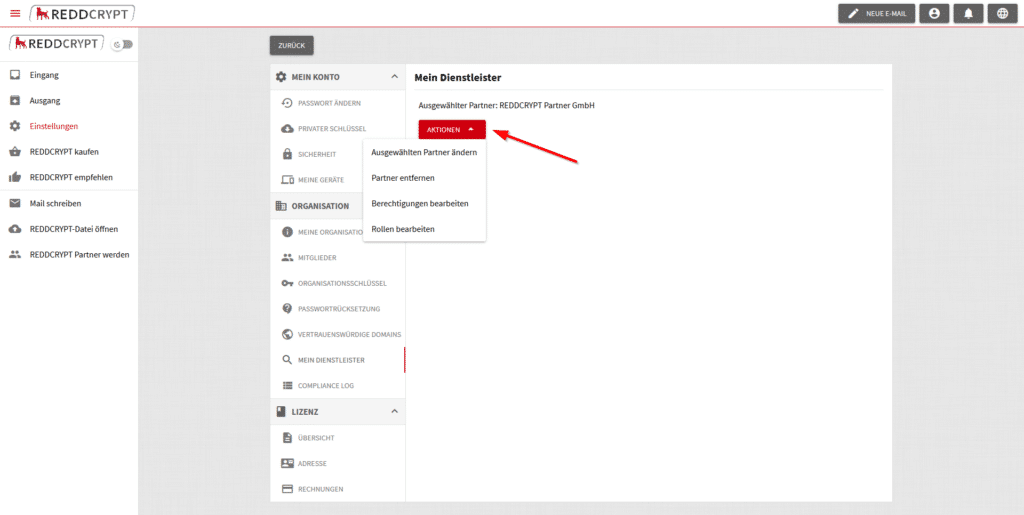
These four actions are currently available:
- Change selected partner: The search mask appears again and you can search for another service provider.
- Remove partner: The partner and all authorizations are removed.
- Edit authorizations: You can edit the authorizations for the partner.
- Edit roles: You can also assign a role to the partner instead of individual authorizations.
Two roles are currently available:
- Administrator: The partner has full access and can edit all the organization’s settings
- Payment: The partner receives access to the license information (type, number, expiration date) and has the option of ordering new licenses on your behalf

