Search Knowledge Base
It can happen that emails from REDDCRYPT are placed in the junk mail folder by Outlook and are therefore incorrectly recognized as spam. It can also happen that you receive emails from REDDCRYPT, but they disappear from your Outlook after two seconds.
Emails from REDDCRYPT are moved to the junk email folder
At REDDCRYPT, we have taken all necessary precautions (including the correct setting of SPF entries) to ensure that emails from REDDCRYPT are delivered and not falsely recognized as spam. We are not aware of any cases in which emails from REDDCRYPT have been recognized as spam by professional anti-spam solutions. If this still happens in your Outlook, incorrect settings in the junk email options are to blame.
In this article, we will show you how to correct these settings.
Open junk email options
To open the options, please right-click on any email within Outlook. In the context menu, please click on
Junk e-mail -> Junk email options
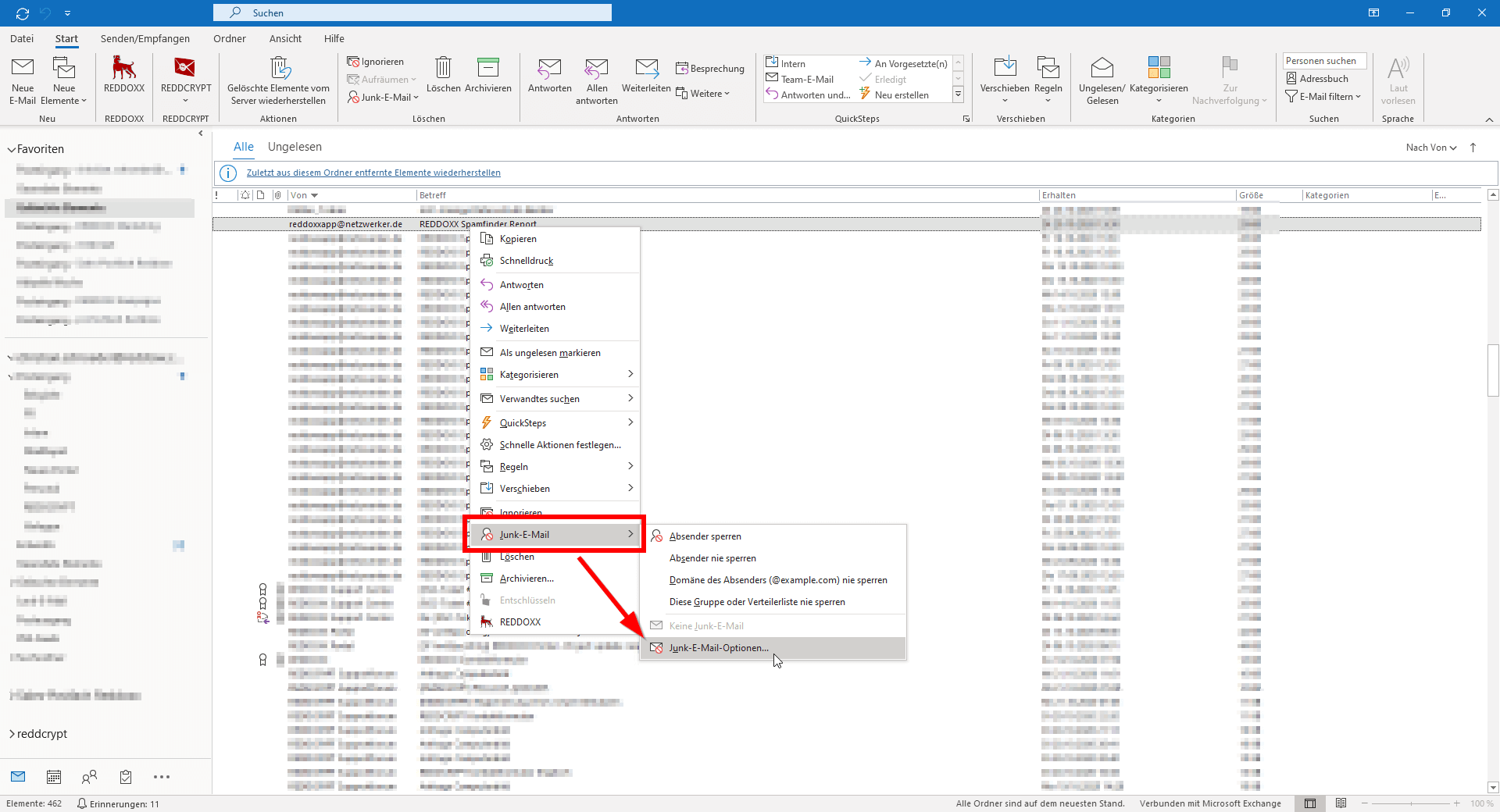
Edit junk email options
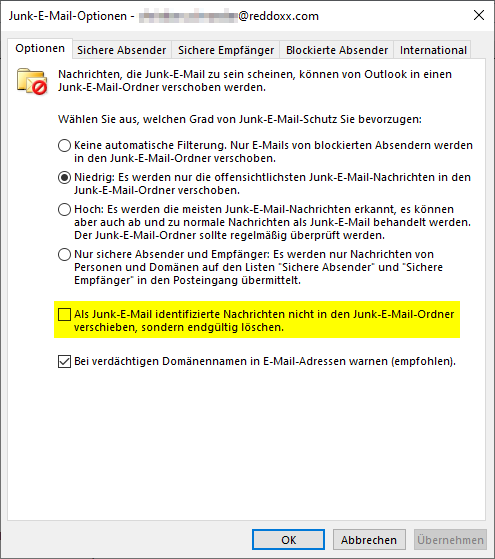
In the cases known to us in which emails were incorrectly recognized as spam by REDDCRYPT, the selected option was “High”. The description of this option states that “from time to time, normal messages are also treated as junk email.”
This is therefore a faulty detection by Outlook. If you change this option to “Low”, only obvious spam emails will be moved to the junk email folder. Emails from REDDCRYPT are no longer defined as spam after the change.

Emails disappear from Outlook after two seconds
If emails disappear again after a short time, this may also be due to a setting in the junk email options. A tick can be set in the settings to ensure that emails are not moved to the junk email folder but deleted immediately. This process takes about two seconds, so the email is first delivered and then deleted immediately. If you do not want this, you can remove the corresponding tick in the settings.