Search Knowledge Base
It may happen that you want to encrypt an email but receive the following error message in Outlook:
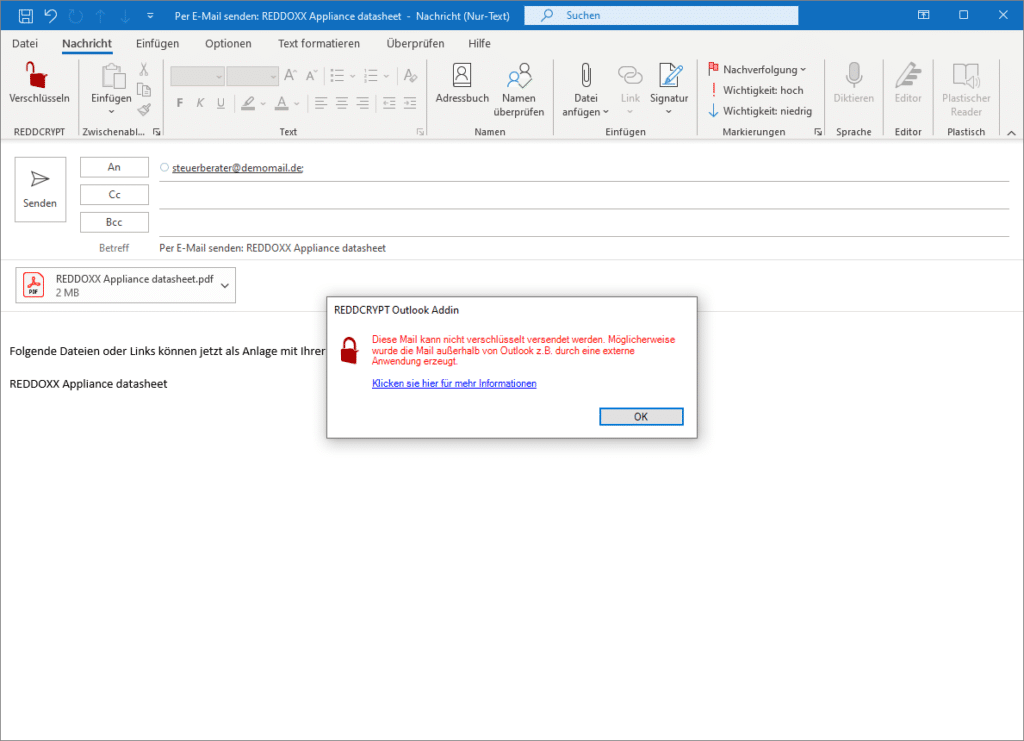
When does the error occur?
This error always occurs if the email to be encrypted was not created directly in Outlook.
One example could be that the email is created by an external application (e.g. DATEV, but can also be any other). Another example could be the Microsoft context menu when you right-click on a file and want to send it by email.

Why does the error occur?
When an external application generates an email, the MAPI interface is used by Outlook. Although Outlook processes the MAPI call, it handles the email differently than if it had been created directly in Outlook. Specifically, the problem is that Outlook does not store the sender of the email when it is created (even if it is displayed visually).
With REDDCRYPT, however, the sender is required so that the email can be digitally signed before it is sent.
This problem does not only affect REDDCRYPT, but all third-party providers that rely on the sender of the email for their integration. Even Microsoft itself has this problem and cannot (or does not want to) solve it (see e.g. https://docs. microsoft.com/en-US/outlook/troubleshoot/message-body/outside-messages-not-include-email-signature).
Workaround
As Microsoft states in the example linked above that it does not intend to fix this error, the only workaround currently available is to encrypt the email:
- Show the “FROM” field in the email (depending on the Outlook version, e.g. via “Options” when the email is open)
- Click on the “FROM” field and then on your email address
Outlook will now enter the sender correctly and you can encrypt and send the email as normal.

